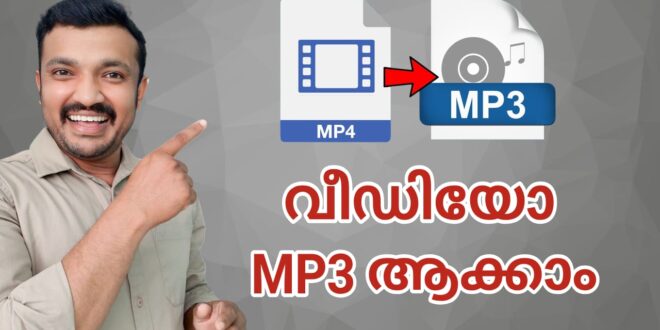
Looking for a fast, intuitive way to convert your videos into audio files, trim or merge tracks, and even turn audio clips into ringtones? The Video to MP3 – Video to Audio app offers all of that and more in one streamlined package. With a 4.8-star rating and over 50 million installs on the Google Play Store, it’s clearly resonating with users.
Key Features & Benefits
- Convert video to MP3 or other audio formats: Whether you’ve got an MP4, AVI, MKV or FLV video file, this tool lets you extract the audio with ease.
- Wide format support: Not only video-to-audio (MP4 to MP3) but also supports audio conversions like M4A to MP3 or MP3 to FLAC.
- Batch & background conversion: You can convert up to 15 videos at once. This makes it efficient when you have multiple files.
- Edit and customize: The app includes a video/audio cutter & trimmer, audio merger, fade-in/fade-out effects, tag editor (title/artist/album/genre) and the ability to set the result as a ringtone, alarm or notification.
- Quality control: Output quality choices such as bitrates (32kb/s through 320kb/s) let you tailor the audio quality and size.
Why Use This App?
If you’re someone who often extracts audio from video — for example: saving music from a video clip, creating custom ringtones, trimming video/audio for social content, or converting old audio files to new formats — this app is a strong choice. It consolidates multiple functions (converter + trimmer + editor + ringtone maker) into one free tool.
Additionally, its large download base and high rating indicate reliability and active maintenance (latest update: June 13 2025).
Practical Use-Cases
- Podcast creators or presenters who record video but want to export the audio for distribution.
- Social media content creators who grab background music or audio snippets from video and need to trim or merge them quickly.
- Everyday users wanting a custom ringtone from their favourite song or a specific clip from a video.
- File size optimisers who want to extract audio and discard video to save space on mobile devices.
Tips for Best Results
- Choose the bitrate carefully: higher bitrates (256–320 kb/s) offer better audio fidelity but result in larger file sizes.
- Use the “fade in / fade out” option for smoother transitions when making ringtones or merged tracks.
- Label the metadata (artist, album, genre) using the built-in tag editor so the audio shows up correctly in your music player.
- Make sure you have the legal right to extract audio from the video file in question (respect copyright).
Overall, Video to MP3 – Video to Audio is a powerful, all-in-one media utility for Android devices that transforms video and audio editing tasks into a quick, user-friendly process. With its broad feature set and positive user feedback, it’s a go-to solution for anyone looking to convert, cut, merge, or repurpose audio content on the go.