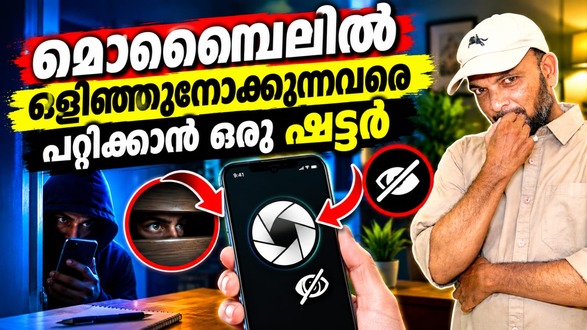
Using your smartphone in public places can sometimes expose personal information to people nearby. Whether you are reading private messages, checking emails or browsing personal content, screen privacy matters. Privacy Curtain by JDevZone is an Android application designed to help protect visible screen content using a customizable digital curtain. It allows users to cover selected portions of their display with adjustable colours, textures and transparency.
What Is Privacy Curtain?
Privacy Curtain is a screen privacy application that creates a floating digital overlay on your Android phone. Instead of changing your physical display or installing a privacy screen protector, it provides a software-based curtain that can be activated whenever needed. Users can resize and position the curtain according to their preferences.
Key Features of Privacy Curtain
1. Customizable Screen Curtain
The application lets users cover part or all of their smartphone screen. You can adjust the curtain’s height and position to hide sensitive information from nearby viewers while using your device.
2. Multiple Colours and Textures
Personalization is one of the app’s main highlights. Users can choose from more than 20 textures and 10 gradients, apply favourite colours and combine different visual styles to create a unique privacy curtain.
3. Adjustable Transparency
Privacy Curtain provides transparency controls that allow users to change how visible the covered area appears. This helps customize the balance between screen coverage and visibility.
4. Floating Shortcut Icon
After starting the application, a floating shortcut appears on the screen. You can drag it to a convenient position and tap it to activate the curtain. The shortcut can also be customized using different avatars or personal images.
5. Lock and Resize Options
Users can resize the curtain by dragging it and lock it at a preferred height. This helps prevent accidental adjustments during everyday use.
6. Phone Call Awareness
The application automatically minimizes the curtain during phone calls so that it does not obstruct the call interface. This makes it more convenient to use while keeping essential phone functions accessible.
7. Ad-Free Experience
The latest Google Play listing highlights an ad-free experience, distraction-free mode, full-screen mode and custom texture support.
How to Use Privacy Curtain
Open the application and tap the Start button. A floating shortcut icon will appear. Tap it to activate the digital curtain, then adjust its size and transparency. Choose your preferred colour or texture and lock the curtain when required.
Privacy and Limitations
The developer states that the app does not collect user information. However, Google Play’s Data Safety section also lists app information, performance and device identifiers as data types the app may collect. A digital overlay can reduce casual visibility, but it is not equivalent to a physical privacy screen protector or device encryption.
Privacy Curtain is a useful Android privacy tool for people who frequently use smartphones in public places. Its adjustable overlay, creative textures, floating shortcut and ad-free experience make it an interesting option for everyday screen privacy.
Privacy Curtain app, screen privacy app, Android privacy application, hide phone screen from others, digital screen curtain, protect smartphone privacy, JDevZone Privacy Curtain.