
Photo editing has become an essential part of creating engaging social media posts, professional graphics, and personalized images. Whether you’re designing creative collages, removing backgrounds, or combining multiple photos, having the right editing app can make the process much easier. PhotoLayers is an Android photo editing application that allows users to create impressive image compositions using multiple layers and simple editing tools.
Designed for beginners and experienced editors alike, PhotoLayers makes it easy to cut out objects, replace backgrounds, and blend images into professional-looking creations directly from your smartphone.
What is PhotoLayers?
PhotoLayers is a photo editing app that enables users to combine multiple images using layers. The app provides tools for background removal, image cutouts, transparent editing, and photo composition, making it suitable for creating collages, digital artwork, product images, and social media graphics.
Its intuitive interface helps users edit images without requiring advanced graphic design skills or expensive desktop software.
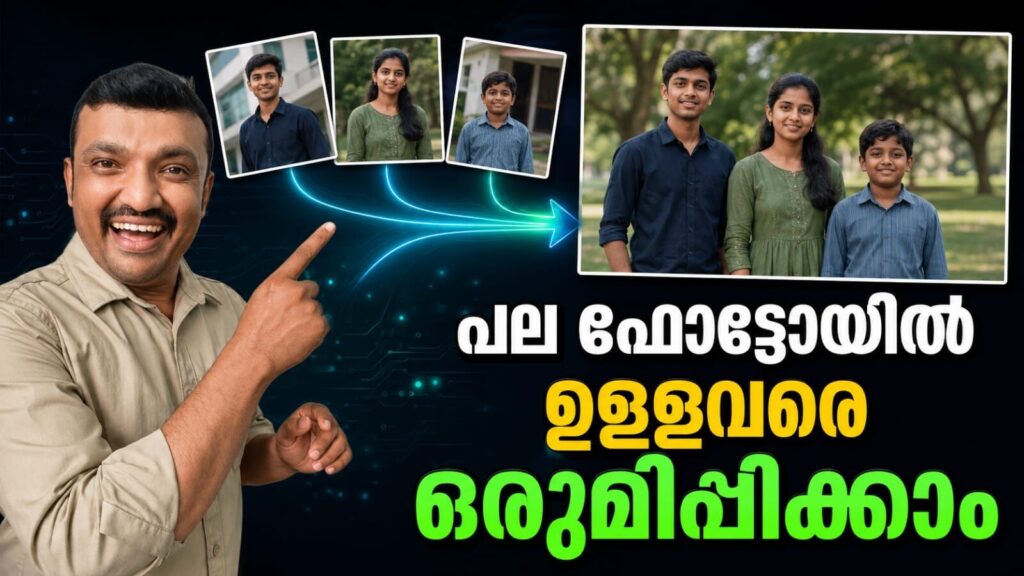
Key Features of PhotoLayers
Background Removal
One of PhotoLayers’ most popular features is its background removal tool. Users can erase unwanted backgrounds from photos and create transparent images for creative editing projects.
Layer-Based Photo Editing
The app allows users to combine multiple photos using layers. This makes it easy to create unique compositions, posters, photo manipulations, and promotional graphics.
Automatic and Manual Erasing Tools
PhotoLayers includes both automatic and manual background erasing options. Users can quickly remove large areas or fine-tune small details for more precise editing.
Blend Multiple Images
The app lets users merge multiple images into a single design. This feature is useful for creating artistic edits, marketing materials, greeting cards, and custom wallpapers.
Easy-to-Use Interface
PhotoLayers features a clean and user-friendly interface that simplifies complex editing tasks. Even first-time users can create attractive photo compositions with minimal effort.
Benefits of Using PhotoLayers
PhotoLayers provides a practical solution for users who want professional-looking edits without learning advanced editing software. Content creators can design eye-catching social media posts, while students and professionals can create presentations, posters, and promotional materials.
The app is also useful for online sellers who need transparent product images and marketers who create visual content for advertising campaigns.
Its lightweight performance and efficient editing tools make it suitable for everyday photo editing on Android devices.
Why Choose PhotoLayers?
PhotoLayers stands out because it combines background removal, transparent image editing, and multi-layer composition in one application. The combination of automatic cutout tools, manual editing controls, and layer support provides users with creative flexibility while keeping the editing process simple.
Whether you’re creating digital artwork, social media graphics, or custom photo edits, PhotoLayers offers the tools needed to produce high-quality results.
PhotoLayers is a powerful Android photo editing app that helps users create impressive photo compositions using layers, transparent backgrounds, and advanced cutout tools. With its intuitive interface, background removal capabilities, and image blending features, it provides an excellent solution for designers, content creators, and photography enthusiasts looking to enhance their creative projects.
PhotoLayers, PhotoLayers app, background remover app, photo editor, image cutout app, transparent background editor, layer photo editor, photo collage maker, Android photo editing app, image blending app, creative photo editor, photo composition tool.