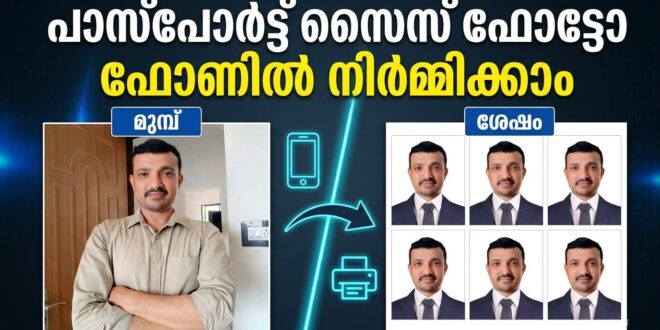
Getting a perfect passport or ID photo usually requires visiting a photo studio, which can take time and money. However, the Vivid ID: Passport Photo Maker app makes the process quick and convenient. This Android photography app allows users to create passport, visa, and ID photos directly from their smartphone within seconds.
Using smart editing tools and AI technology, the app helps users generate professional-looking passport photos that meet official size requirements. Whether you need photos for a passport, visa application, driver’s license, or job application, this app offers a simple solution without leaving your home.
What Is Vivid ID: Passport Photo Maker?
Vivid ID: Passport Photo Maker is a mobile photography application developed by PicUP.Ai that helps users capture and format images into official passport photo sizes. The app includes templates for passport and ID photo standards used in more than 100 countries, ensuring that photos meet international requirements.
Instead of manually editing images, the app automatically resizes, crops, and adjusts the photo so that the face is centered and aligned according to passport rules. This automation makes it easier for users to create professional photos without needing advanced editing skills.
The app has become popular among travelers, students, and professionals who frequently require official photos for documentation.
Key Features of the Vivid ID Passport Photo Maker App
Multiple Passport Photo Sizes
One of the most important features is support for hundreds of passport and visa photo templates. Users can easily choose the required size depending on the country’s official requirements.
Common formats include 2×2 inches, 3×4, 4×6, and other global passport photo standards.
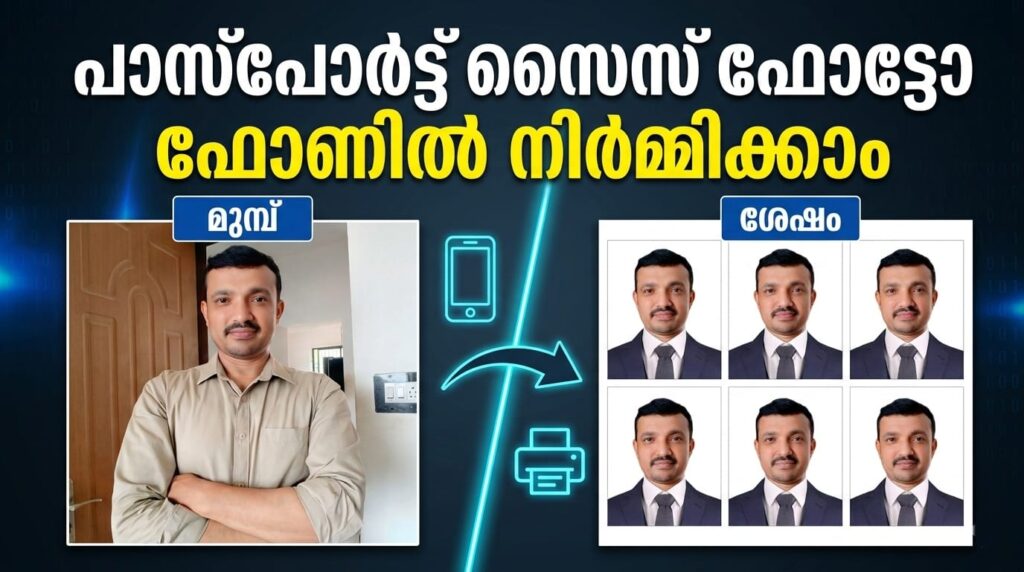
AI Background Removal
The app uses advanced AI background removal technology to automatically replace the background with clean colors such as white, blue, or red. This ensures the photo complies with passport photo regulations without manual editing.
Passport Suit Changer
Another unique feature is the digital suit changer, which allows users to add formal outfits to their photos. This helps create a professional appearance even if the original photo was taken casually.
Automatic Face Adjustment
The app automatically detects the face, centers it, and adjusts the crop size according to official passport photo guidelines. This eliminates the need for manual resizing or complex editing tools.
Print-Ready Photo Layouts
Users can combine multiple passport photos into standard print sizes such as A4, 4×6, or 5×6 sheets, making it easy to print photos at home or through a printing service.
Why Use a Passport Photo Maker App?
Creating passport photos through a mobile app offers several advantages:
- Save time by avoiding studio visits
- Generate photos instantly on your phone
- Ensure correct size and format for official documents
- Edit backgrounds and clothing digitally
- Print or share photos whenever needed
Because of these benefits, passport photo apps like Vivid ID are becoming increasingly popular among smartphone users.
Who Should Use Vivid ID?
This app is useful for many people, including:
- Travelers applying for passports or visas
- Students submitting documents for universities
- Professionals needing ID or application photos
- Anyone who wants quick passport photos from home
With just a smartphone camera, users can generate professional photos within minutes.
The Vivid ID: Passport Photo Maker app is a convenient solution for creating passport and ID photos without visiting a studio. With features such as AI background removal, automatic resizing, passport templates for multiple countries, and print-ready formats, the app simplifies the entire process.
Whether you need photos for travel documents, visas, or official applications, this Android app offers a quick and efficient way to create high-quality passport photos directly from your device.