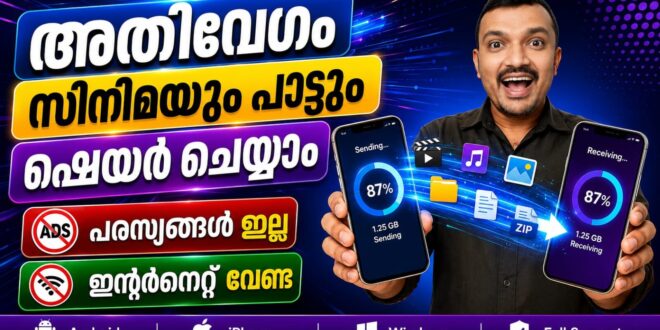
Sharing files between devices doesn’t have to rely on cloud storage or an internet connection. LocalSend is a free, open-source file sharing application that lets users transfer files securely over a local Wi-Fi network. Whether you’re sending photos from an Android phone to an iPhone or transferring documents between a Windows PC and a mobile device, LocalSend offers a simple, fast, and private solution.
Compatible with Android, iOS, Windows, macOS, and Linux, LocalSend makes cross-platform file sharing seamless without requiring account registration or external servers.
What is LocalSend?
LocalSend is a cross-platform file transfer app that allows users to send files directly between devices connected to the same local network. Since transfers occur entirely on the local network, files remain private and do not pass through cloud services.
The app supports a wide range of file types, including photos, videos, documents, music, compressed files, and folders, making it suitable for both personal and professional use.
Key Features of LocalSend
Cross-Platform Compatibility
LocalSend works across Android smartphones, iPhones, Windows PCs, macOS computers, and Linux systems. Users can transfer files between different operating systems without compatibility issues.
Secure Local Network Transfers
All file transfers occur over your local Wi-Fi network using end-to-end encryption. This ensures that your files remain secure and private during the transfer process.
No Internet Required
Unlike many cloud-based file sharing services, LocalSend does not require an active internet connection. Devices only need to be connected to the same local network.
Fast File Sharing
Because transfers happen directly between devices, LocalSend delivers high-speed file sharing for photos, videos, documents, and large files without upload or download delays.
Open-Source and Free
LocalSend is completely free to use and open source, allowing users to benefit from a transparent and community-supported application without subscriptions or hidden fees.
Benefits of Using LocalSend
LocalSend offers a convenient alternative to USB cables, Bluetooth transfers, and cloud storage services. Users can quickly send files between smartphones, tablets, and computers with just a few taps.
The app is particularly useful for students, professionals, photographers, and families who regularly share files across multiple devices. Since no account or login is required, users can begin transferring files immediately after installing the app.
Its privacy-focused design also makes LocalSend an excellent choice for users who prefer keeping their files within their own network rather than uploading them to external servers.
Why Choose LocalSend?
LocalSend combines speed, privacy, and ease of use in a single application. With support for Android, iPhone, Windows, macOS, and Linux, it eliminates many of the limitations associated with traditional file-sharing methods. Secure local transfers, cross-platform compatibility, and an ad-free open-source experience make it one of the best file-sharing apps available today.
LocalSend is an excellent file transfer solution for anyone looking to share files securely between multiple devices. Whether you’re transferring photos from an Android phone to an iPhone or sending documents between a Windows PC and a smartphone, LocalSend provides a fast, reliable, and private experience. Its free, open-source nature and support for multiple platforms make it a must-have productivity app.
LocalSend, LocalSend app, LocalSend Android, LocalSend iPhone, LocalSend Windows, file sharing app, secure file transfer, cross-platform file sharing, local network file transfer, Wi-Fi file sharing, open-source file sharing, offline file transfer.